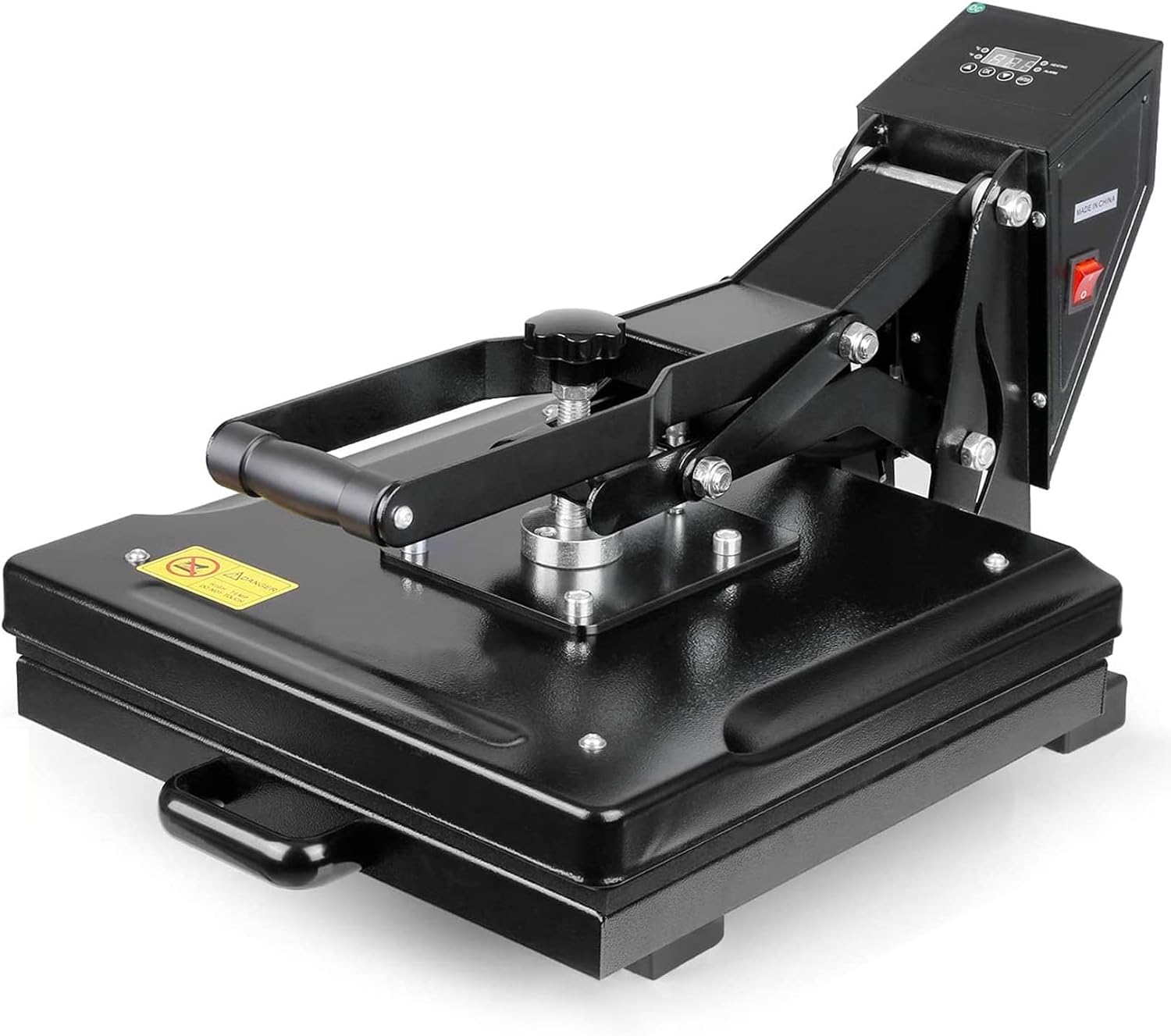
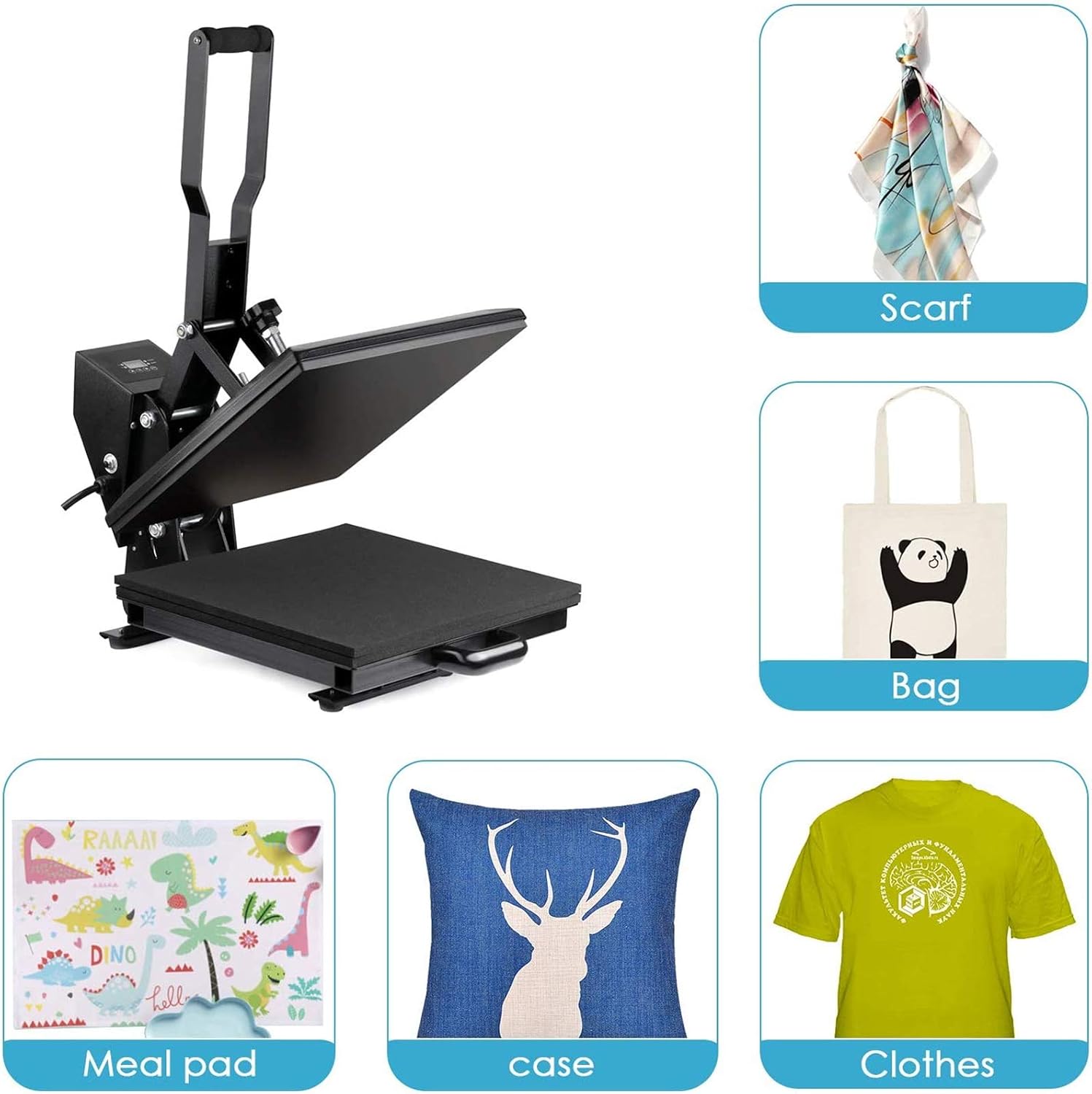
A 15 x 15 inch press for custom shirts, hoodies and tote bags.
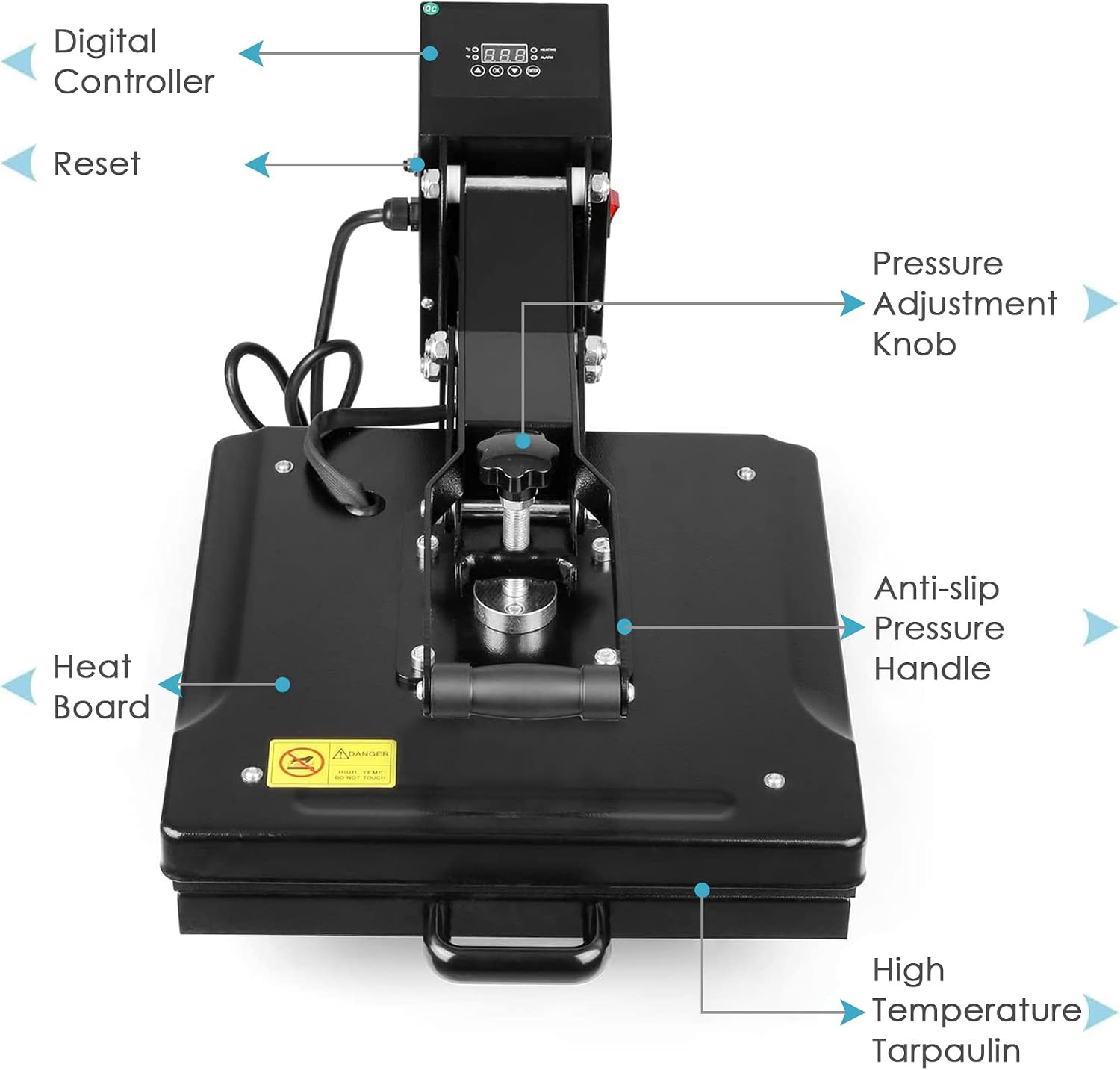
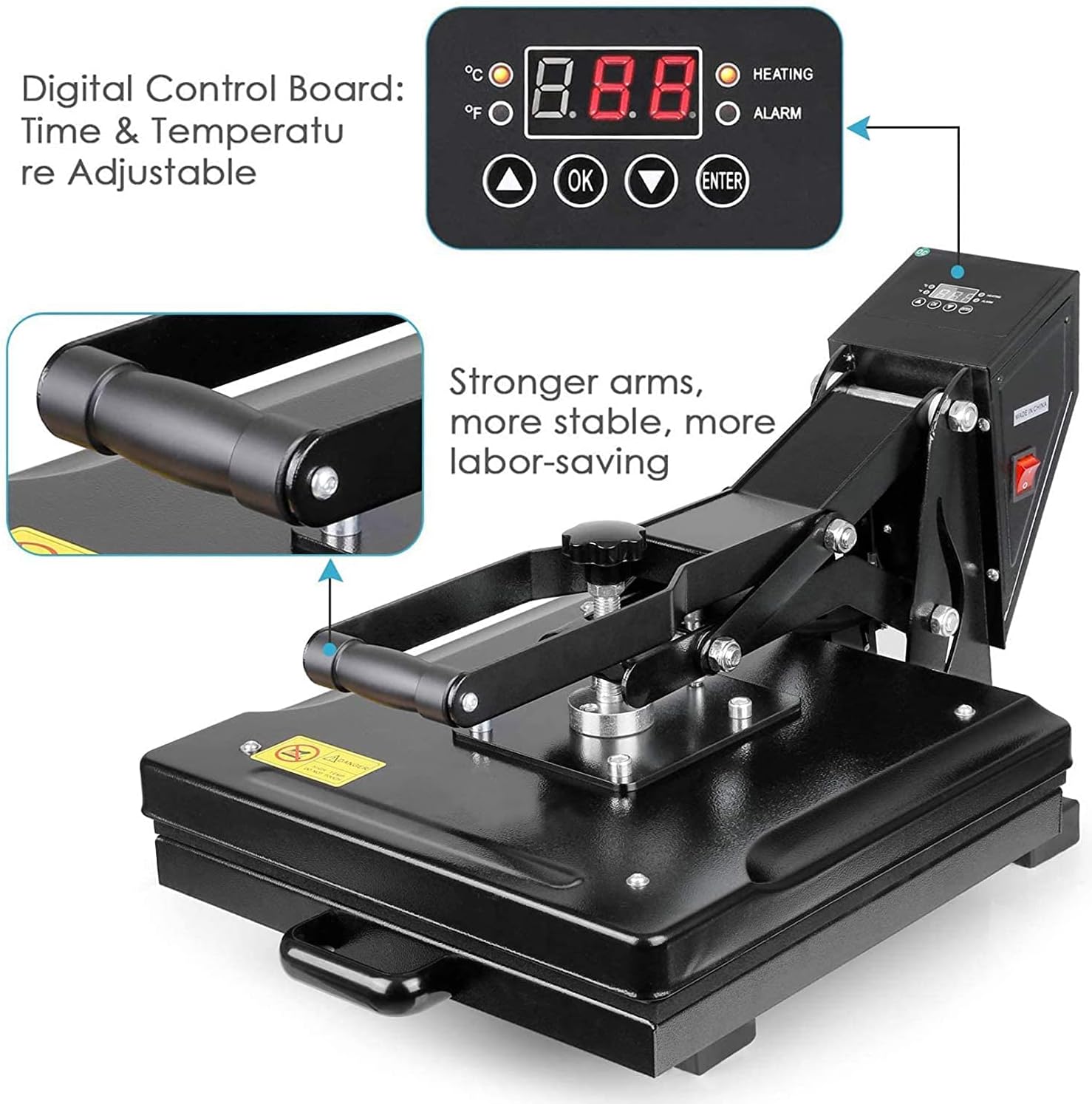
Tusy presses cover a full shirt graphic in one go, something a household iron can't do. You set the time and temperature on a digital panel, dial in pressure with a knob, and the press beeps when it's done. They work with heat transfer vinyl, sublimation and DTF transfers, and fit in a craft room or small studio without industrial wiring.
All Tusy presses share the 15 x 15 inch plate. What changes is how you load the garment and who does the pressing: you or the motor.
Feature
Digital (manual)
Slide-out
Automatic
How it closes
You pull the handle down
You pull the handle down
Motor lowers the plate
How it opens
You lift when the alarm sounds
You lift when the alarm sounds
Lifts on its own when time is up
Pressure
Adjustable knob
Adjustable knob
Set by the machine
Loading
Garment goes under the heat plate
Lower platen slides out toward you
Lower platform slides out, then back in
Pressing area
15 x 15 in
15 x 15 in
15 x 15 in
Best for
Mixed fabrics and thicknesses
Centering chest graphics and multi-part designs
Batches of the same shirt
Pick a manual press when
You press a mix of thin tees, heavy hoodies and canvas bags and want to set pressure yourself for each one. The slide-out version adds room to line up a chest logo without reaching under a hot plate.
Pick the automatic when
You press the same flat shirt again and again. The plate comes down and lifts on its own, so a press can't run long while you're busy with the next garment, and your arm gets a break.
Automatic model specs (1,100 W)
Heating power
1,100 W, single heating tube
Temperature setting
Up to 464°F (240°C)
Timer
0 to 499 seconds
Cycle
Presses and lifts automatically
Auto shutoff
After 30 minutes without use
These numbers apply to the automatic model. Manual, slide-out and older 15 x 15 presses may differ. The 464°F setting is the controller's limit, not a setting to use for most projects.
What You Can Make With a Tusy Press
T-shirts
The most common job for a 15 x 15 press. Full-front and full-back graphics around 10 to 12 inches wide fit in one press, and so do pocket logos.
Tip: Keep the whole transfer inside the heated area. Lay the shirt flat with the collar off the platen edge.
Hoodies and sweatshirts
Big front panels for logos and lettering. The pressure knob lets you back off for the thicker fabric.
Tip: Kangaroo pockets and raised seams lift the plate off the design. A pressing pillow under the print area fixes most of that.
Tote bags and pillow covers
Canvas totes, pillowcases, fabric pouches and other flat accessories press like a shirt.
Tip: Keep handles and thick seams outside the plate, and check any plastic trim or lining before it goes under heat.
Team and event shirts
Names and numbers can be cut ahead of time and pressed one after another at the same settings.
Tip: Write down the transfer brand, garment, temperature, time and pressure. The reorder next season goes much faster.
Flat sublimation blanks
Polyester shirts, mouse pads, coasters, placemats and photo panels that fit within 15 x 15 inches.
Tip: Mugs and tumblers are curved and need a press or attachment made for them. Plain cotton won’t take sublimation dye.
Comics and flat pressing
Some owners use the even heat and adjustable pressure to flatten comics and other paper work.
Tip: Paper scorches far below shirt temperatures. Start low, use a cover sheet and test on something you don’t mind losing.
HTV, Sublimation and DTF on a Tusy Press
Heat transfer vinyl (HTV)
You cut the design on a vinyl cutter, weed out the extra, then press it. Works on cotton, polyester and blends. Smooth HTV like Siser EasyWeed goes on at 305°F for 10 to 15 seconds with medium pressure. Glitter, metallic, flock and stretch vinyl each have their own numbers, and layering needs the maker’s go-ahead.
Sublimation
Sublimation ink is printed onto special paper, and heat turns it into a gas that bonds with polyester or a polymer coating. Nothing sits on top of the fabric afterward. It needs white or light polyester, since the ink is see-through and can’t print white. Most jobs run around 385°F to 400°F. A regular inkjet print won’t sublimate.
DTF transfers
Direct-to-film transfers show up already printed with an adhesive layer, so you don’t need a printer. They handle small text and full-color art on light and dark garments. Temperature, time, pressure and peel (hot, warm or cold) come from the film supplier, and settings from one supplier don’t carry over to another.
Heat Press Temperature and Time Chart
Transfer
Starting point
Smooth HTV (Siser EasyWeed)
305°F, 10–15 seconds, medium pressure, after a 2–3 second pre-press
Glitter and specialty HTV
Use the vinyl maker’s chart; they run hotter or longer than smooth HTV
Sublimation on polyester
Usually 385°F–400°F; time depends on the blank
DTF transfers
Follow the film supplier’s temperature, time and peel
Heat-sensitive synthetics
Low-temperature transfer only, and test a scrap first
These are starting points, not Tusy presets. Too much heat can scorch polyester or leave a shine; too much pressure can flatten textured vinyl. Sources: Siser EasyWeed and Cricut material guide.
How to Use a Tusy Heat Press
1
Set up the bench
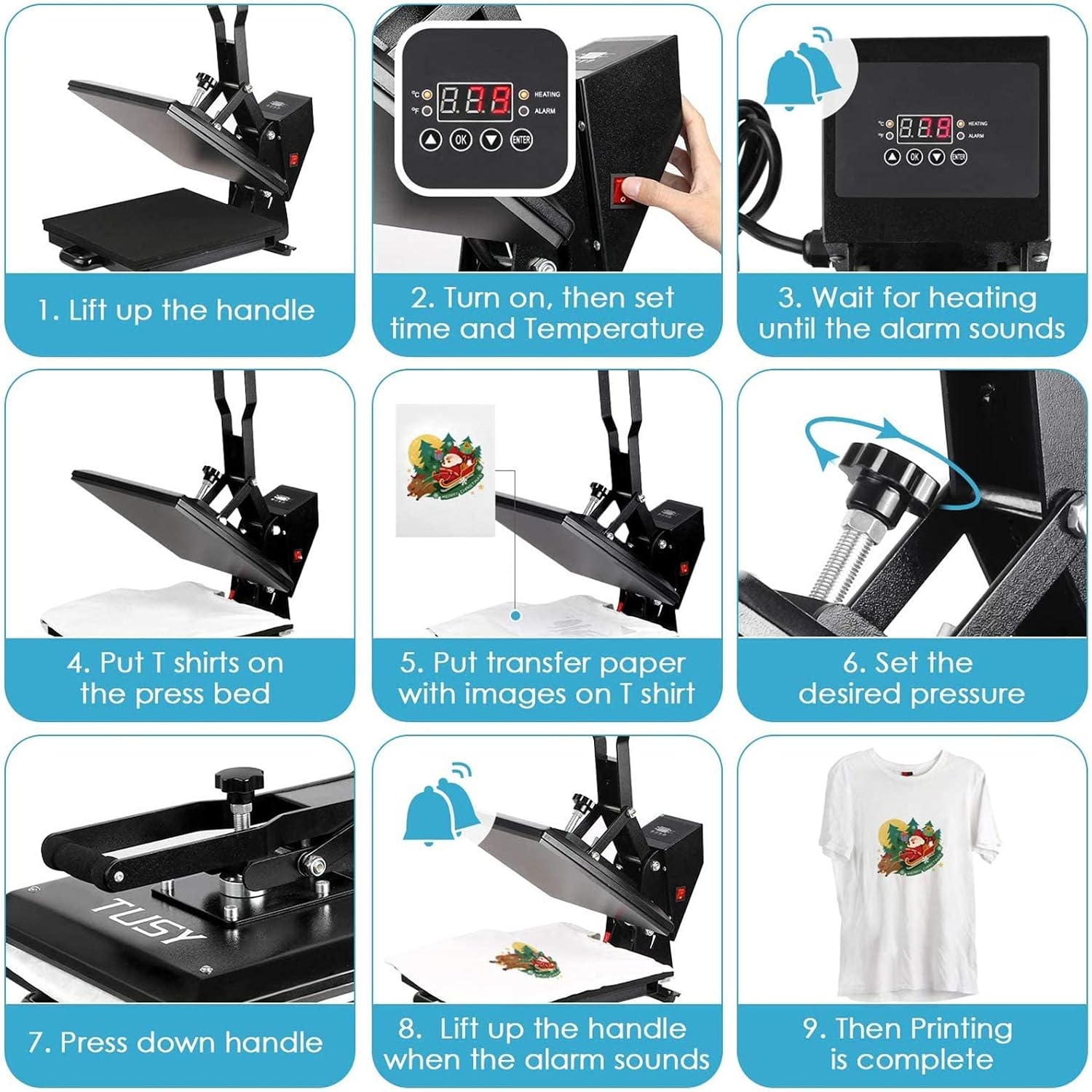
Put the press on a sturdy, level, heat-safe table with room to lift the handle all the way. Plug it into a grounded outlet that matches its rating, and keep paper and packaging clear of the plate.
2
Set time and temperature
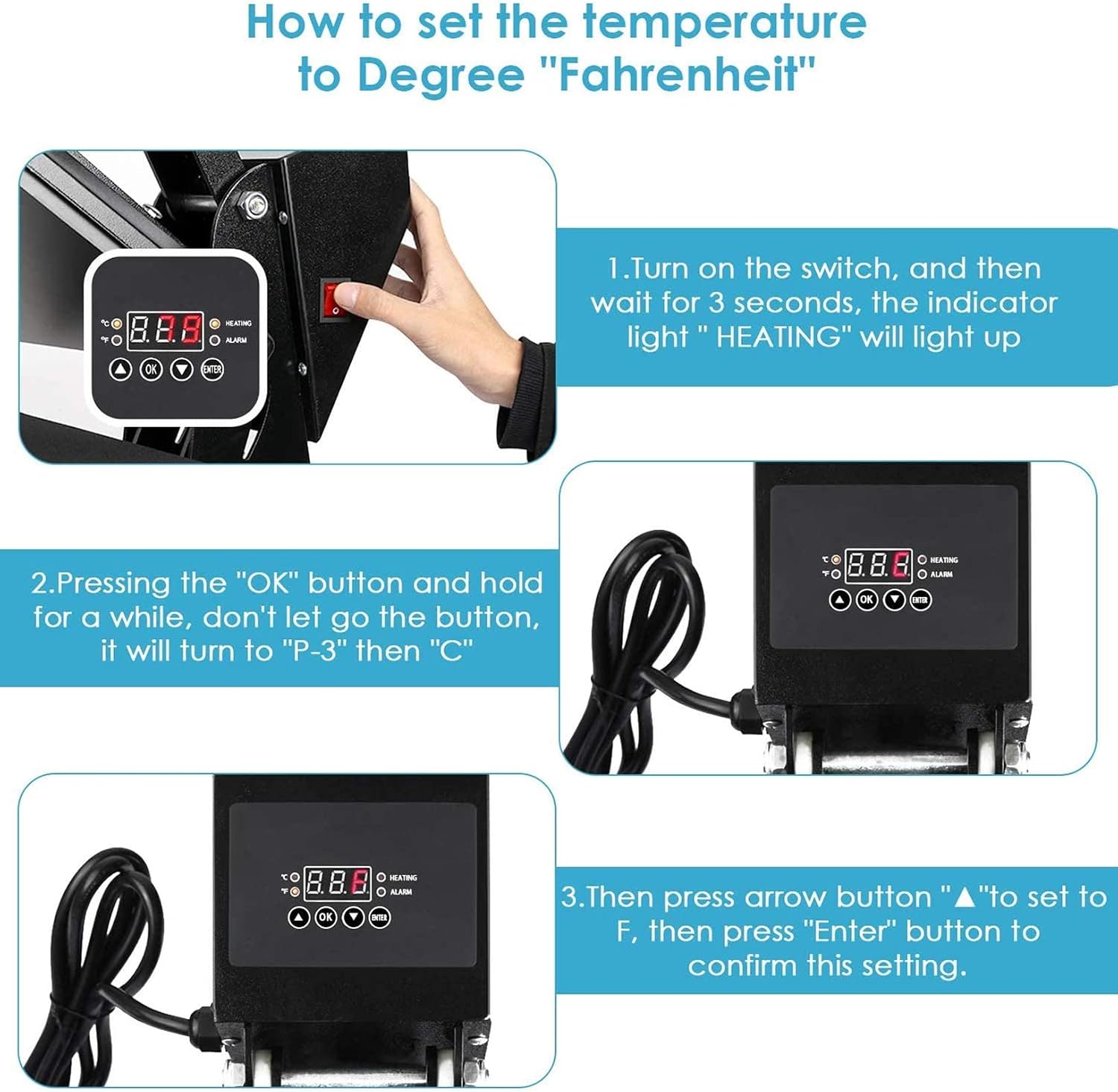
Switch on, set the numbers from your transfer instructions, then wait for the alarm that tells you the plate is up to heat. To change the display to Fahrenheit, hold OK until it shows “P-3” then “C”, press the up arrow to F, and press Enter.
3
Pre-press the garment
Lay the shirt flat on the lower pad and press it for 2–3 seconds. That pulls out moisture and wrinkles, both of which cause weak spots in the transfer.
4
Place the design
Center it below the collar and check the distance from the neckline. Tape sublimation paper so it can’t shift. HTV goes carrier side up, and the design should already be mirrored.
5
Set pressure, then press
Turn the knob with the press open, never forced shut on a thick item. Pull the handle down and leave it until the alarm sounds, then lift.
6
Peel and check
Peel hot, warm or cold as the transfer says. Look at the edges and fine lines before you press the next one. One test shirt is cheaper than a batch of twenty pressed wrong.
Fix the Usual Problems
HTV lifting at the edges
Usually low pressure, low heat or a peel at the wrong temperature. Re-press under a cover sheet only if the vinyl maker allows it.
Not sure about pressure?
Slip a strip of paper between the plates at the front and each side and close the press. If you can’t pull it out anywhere, you’re at medium pressure.
Faded sublimation
Not enough time or heat, or the blank isn’t polyester enough. Cotton-heavy shirts and uncoated items hardly take the dye.
Display doesn’t match your thermometer
Reading a plate right after it opens gives the truest number. Check several spots. If one area runs cold, contact support through Amazon.
Bench space and safety
A heat press draws a lot of power. Use a grounded outlet that matches the machine's rating and don't share a power strip with a space heater or another hot appliance. Manual presses need clearance above for the handle; slide-out models need room in front for the drawer.
The press is heavy, so give it a permanent spot on a sturdy table instead of carrying it out for each session. Keep the cord away from the plate, and stay with the press while it's on. When you're done, switch it off and let it cool before covering it or cleaning the plate.
I just bought my second one of these. Giving 5 stars because even though my first one had a heating element go out inside the plate, causing uneven heating, it worked great for me until that happened. And even after I realized it...
AC
I don't often write reviews on products but I thought I would on this due to some of the bad reviews I read about this press.
First the press seems to be built very good.......Second people said when they would check the temp it...
R. D.
I bought this press in 2021 and have used it almost daily for my small business. But now it loses pressure after 1 press and the pressure knob is always at max. I've considered a replacement pad but I feel like it's a bigger issue...
D
I know there is cheaper ... but I wanted something that was both strong built and yet fine tuned enough to do the demanding work of pressing comics.
Just a small note that my temperature readout is off slightly. Tested it and fou...
Jeffrey
Very high quality commercial grade press.
Rob
So far so good, seems to work and press all.
Yes, expensive but seems like a great brand as I did lots of research into which heat press to buy.
Will update review if any issues
Tusy makes heat presses for people who decorate apparel at home or in a small shop: hobbyists pressing their first shirt, Etsy sellers, school and team merch makers, and small brands running short batches.
The idea is to make heat transfers less fiddly. A 15 x 15 inch plate covers a full shirt design. Digital controls handle time and temperature, a knob sets the pressure, and on the automatic model the machine does the pressing too. Everything sits on a tabletop. No industrial installation needed.
The press brings heat, pressure and time together. The design still comes from vinyl, sublimation paper or a DTF transfer, and the settings come from that transfer's maker. Get those three right and the same shirt comes out the same way, order after order.
Frequently Asked Questions
What is Tusy known for?
Tusy is known for heat press machines for custom apparel, personalized gifts and heat transfer projects. The range includes 15 x 15 inch presses with digital temperature controls, manual pressing and, on selected models, automatic operation. They are made for home crafters, small apparel businesses and anyone who needs a dedicated machine for heat transfer vinyl, sublimation and compatible printed transfers.
Is Tusy a good heat press brand for beginners?
Tusy presses have beginner-friendly features, including digital temperature settings and programmable timers. The automatic 15 x 15 inch model goes a step further: it applies pressure and lifts the plate when the cycle ends.
You still need to learn the temperature, pressure and peel requirements of the transfers you use. Standard HTV on cotton T-shirts is a good place to start before moving on to more demanding work.
What types of Tusy heat press machines are available?
Tusy offers manual presses, slide-out models and automatic machines. Manual models give you direct control of the press, with adjustable pressure on compatible versions. Slide-out designs give you more room to position the garment. Automatic models press and release on their own to cut down repetitive work.
Features and specs vary by model, so check the pressing mechanism and platen size before you buy.
What can you make with a Tusy heat press?
T-shirts, hoodies, sweatshirts, tote bags, fabric pouches and other suitable flat items. Common projects include business logos, names, team uniforms, school merchandise and decorative graphics. It also works with sublimation blanks that fit within the platen.
Curved items such as mugs and tumblers generally need a dedicated press or attachment.
Can Tusy heat press machines be used for sublimation?
Yes. A Tusy flat press can apply sublimation transfers to compatible polyester fabrics and coated flat blanks. You also need sublimation ink, transfer paper and the right blank.
Results are best on white or light-colored polyester because the ink is translucent. Ordinary cotton doesn’t take sublimation dye the same way, and dark fabrics usually need a different method.
Can a Tusy heat press apply vinyl and DTF transfers?
Yes. Tusy presses apply heat transfer vinyl (HTV) and compatible direct-to-film (DTF) transfers when the machine reaches the required temperature and pressure. HTV is the usual choice for lettering, simple graphics and one-off garments. DTF handles detailed multicolor designs on many common fabrics.
Each transfer has its own instructions for time, pressure and carrier peel temperature.
What is the difference between a Tusy automatic heat press and a manual heat press?
The automatic press lowers the heated plate with a motor and lifts it when the timer ends, which saves effort over a long run. A manual press is closed and opened by hand with a handle, usually with a mechanical pressure knob.
Manual presses can be more flexible with unusually thick items, depending on the model. Automatic presses are most convenient for repeated flat garment transfers.
How large is the Tusy 15 x 15-inch heat press?
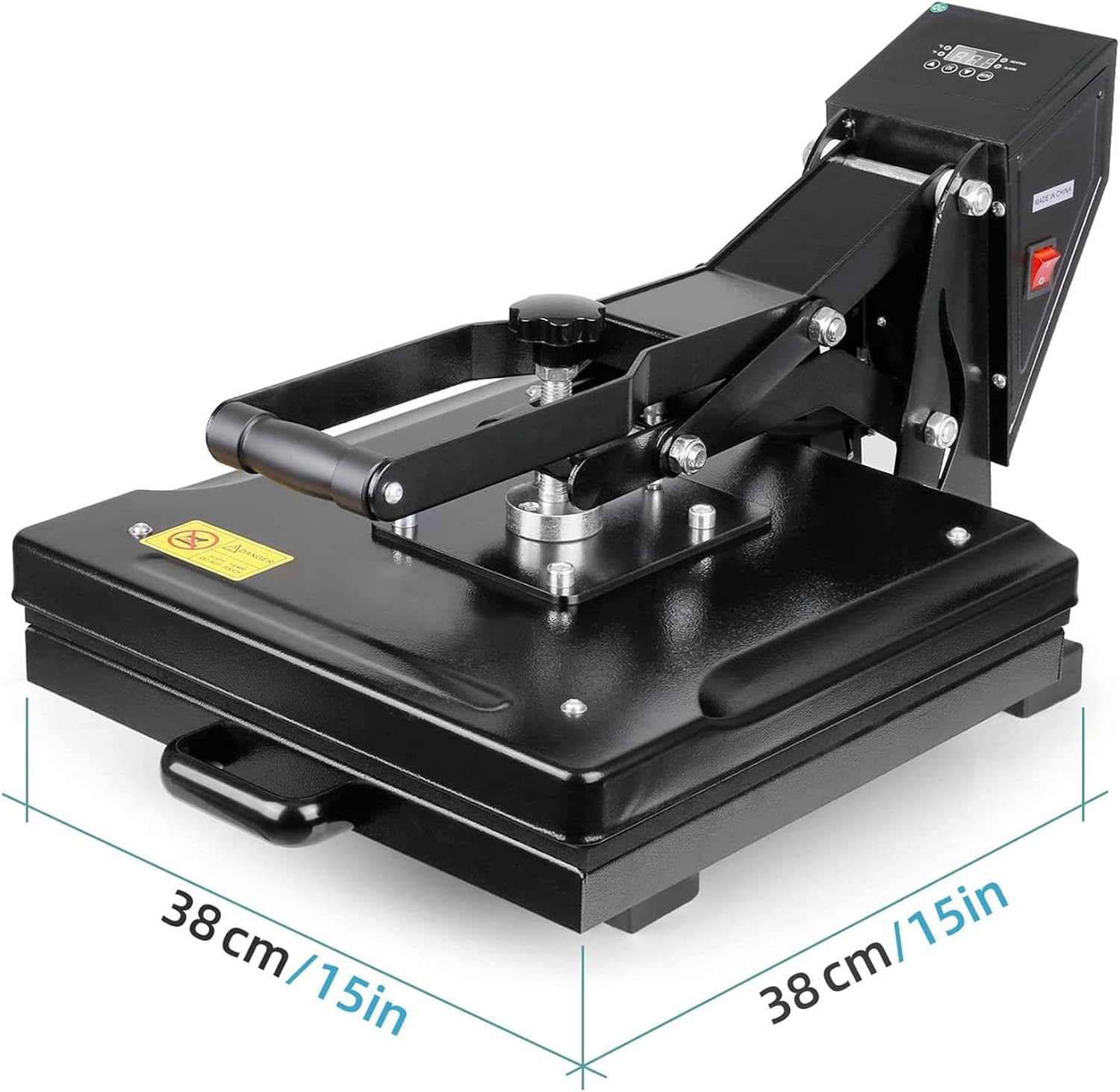
15 x 15 inches is the size of the pressing surface, about 38 x 38 cm or 225 square inches. That is enough for most standard adult T-shirt graphics, chest logos and sweatshirt designs.
The machine itself is larger than the platen, and manual and slide-out versions need extra room to operate. Oversized designs may need a larger press.
How hot does a Tusy heat press get?
The 1,100-watt Tusy automatic press sets temperatures up to 464°F (240°C), with a timer from 0 to 499 seconds. Other Tusy models may have different ranges.
Most apparel transfers use temperatures well below the maximum. Standard HTV often goes on around 300°F to 320°F, and many polyester sublimation jobs use about 385°F to 400°F. Always follow the material maker’s settings.
How long should you press a T-shirt with a Tusy heat press?
It depends on the transfer. Some standard HTV needs about 10 to 15 seconds, while sublimation and some printed transfers need longer. Siser EasyWeed, for example, calls for 305°F for 10 to 15 seconds at medium pressure.
Garment prep, fabric content and any finishing press also play a part. The transfer maker’s instructions come before any generic chart.
Can Tusy heat presses be used for a small T-shirt business?
Yes. A 15 x 15 inch Tusy press handles custom orders, branded merchandise and short runs, and its pressing area fits most common designs without moving the transfer. Automatic models cut down repetitive effort across multiple garments.
Real output depends on prep time, transfer type, handling and packing. High-volume shops or oversized designs may eventually call for larger commercial equipment.
Does a Tusy automatic heat press shut off by itself?
The Tusy 15 x 15 inch automatic model turns itself off after 30 minutes without use. It also lifts the heat plate when each pressing cycle ends.
Those are two separate features: the timed release ends a single press, and the auto shutoff limits heating when nobody is using the machine. Neither replaces normal care, so stay with the press while it is on and switch it off when you’re done.
How do you clean and maintain a Tusy heat press?
Let the press cool completely and unplug it before cleaning. Wipe dust and debris off the pressing surfaces with a soft, dry cloth. For residue, follow the manufacturer’s cleaning instructions and skip abrasive tools that can damage the plate coating.
Keep the lower pad flat and free of adhesive buildup. Check the power cord, hinges and moving parts for wear now and then, and never spray cleaner directly onto the controls.
Where can you buy Tusy heat press machines?
Tusy heat presses are sold on Amazon, including through the Tusy brand storefront. Availability varies by model, and some older 15 x 15 inch versions may be out of stock or discontinued.
Before you buy, check the model number, platen size, voltage, included accessories, seller and warranty terms.
Does Tusy provide technical support and warranty coverage?
Tusy has advertised technical help with operating and troubleshooting its presses, and the automatic press listing has advertised 24/7 technical support. Warranty coverage, replacement parts and return eligibility depend on the product and where you bought it, so confirm current support through the seller.
For a press bought on Amazon, start from your order page. Keep the model information and proof of purchase handy.
Pick the Press That Fits How You Work
Manual if you want control over pressure, slide-out for easier lineup, automatic for long runs of the same shirt. All of them give you the same 15 x 15 inch plate.